How To Update Information For Your Business
Management change at your business? Need to update your information? This blog is for you. Updating your business information with us ensures that we have the latest details to provide accurate service and support. Here you will find the steps to get everything updated and running smoothly.
Contact Customer Support

Contact Sentry via email at service@gosentry.com and provide the answers to the below questions:
-
What is the name of your business/location?
Please provide the name and address -
What is the name of the person requesting the update?
Please provide the first and last name -
Who do you want called and in what order in the event of an alarm?
Please provide the names and phone numbers in the order you would like called. This will be the way our monitoring department will contact you in the event of an alarm. -
What code word do you want to use to abort a false alarm?
This will be the word the monitoring department will need to cancel the alarm. If the code word is incorrect or not provided to the monitoring department the alarm will not be cancelled. -
What email would you like to send future invoices too?
This is the email that all invoices will go to. If your business uses a platform for invoicing we will need to be sent an invitation. -
What 4-Digit panel codes would you like for each employee?
Please list the first and last name and 4 digit code for each employee you would like to have access to your panel.
Log In to Your Online Account
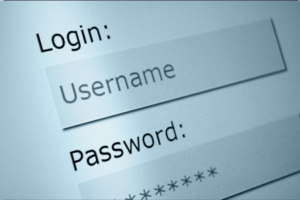
Once you are set up with your alarm system, you will have login information for alarm.com. This is an online portal where you can update your business information. Whether you need to update an email address or a phone number you will be able to navigate this portal and make changes.
Can I create multiple logins for my account? Yes. You can create multiple logins for your account using your customer website login. There is no limit to the number of logins that can be created for an account.
For information about creating a new login, see Create a new login.
A system-generated password is sent to the email address that you assigned to the user. They are prompted to update the password upon their initial login to the customer website.
In this portal you will also be able to delete a login and manage login permissions for secondary logins.
Updating Permits
Updating an alarm permit with your city typically involves a few standard steps, but it can vary by location. Locally, the City of Burleson has permitting requirements for all residential and commercial alarm systems.

Looking for Assistance?
Have questions or want a free security assessment? Our team is ready to help.
New Security Systems
Schedule a consultation or system design
Existing Systems
Service, maintenance, and upgrades